Tutorial: exploring the CD radio player
This tutorial takes you through the CDRadioPlayer example model. It shows how a real system becomes an MBDlyb model, and how to use that model. It takes about 20 minutes.
1. Load the example
Download the CDRadioPlayer database dump and import it into Neo4j, for example as database
cdradioplayer(see Importing and exporting databases).Start the interface:
mbdlyb-ui --database cdradioplayer.Open http://localhost:8080/ and select Editor in the header.
Click CDRadioPlayer.
You can also import the Capella model yourself (see Importing a Capella model) and then import its CPTs.
2. The system and its structure
The CD radio player has five subsystems. Each is a cluster:
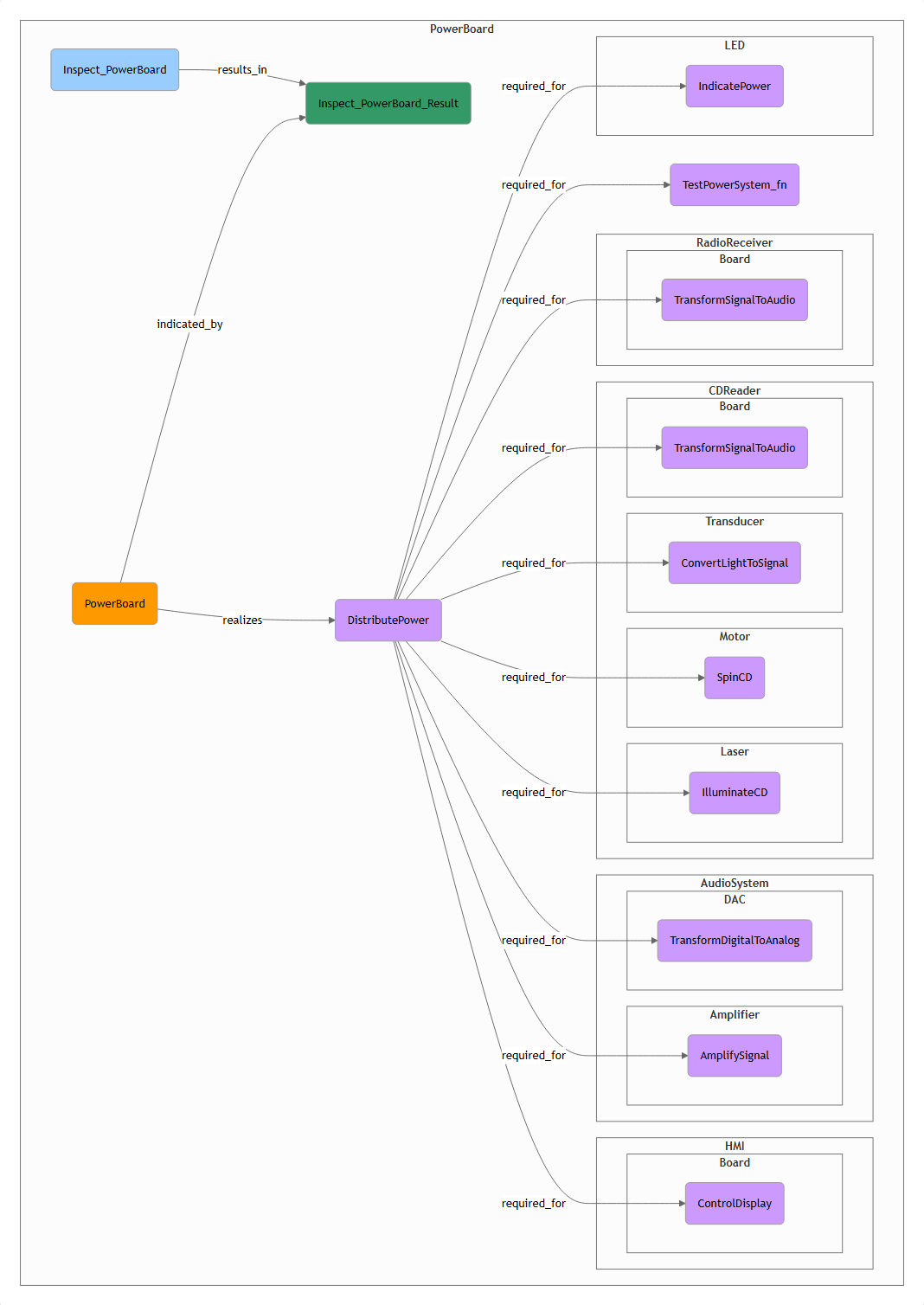
Fig. 4 The root cluster CDRadioPlayer. It shows the subsystems and the
top-level function PlayCDOrRadio with its system tests.
PowerSystemSupplies power from the battery or from the wall:
ACPowerSystem(withConverterandPowerCable),Battery,LEDandPowerBoard.CDReaderReads the CD:
Board,Detector,Laser,MotorandTransducer.RadioReceiverReceives radio:
AntennaandBoard.AudioSystemTurns the signal into sound:
Amplifier,DACandSpeaker.HMIThe user interface:
Board,DisplayandSourceSwitch.
Use the navigation drawer to open the clusters. Most of the lowest-level
clusters contain one hardware node with the same name, and the functions that
it realizes. For example, CDReader.Laser contains the hardware Laser,
which realizes IlluminateCD.
3. Functions and their dependencies
Open CDReader. The diagram shows how the parts work together to read a
CD. The Motor spins the CD, the Laser illuminates it, the
Detector detects the reflected light, and so on. Every arrow is a
dependency. If SpinCD fails, DetectReflectedLaser cannot work either.
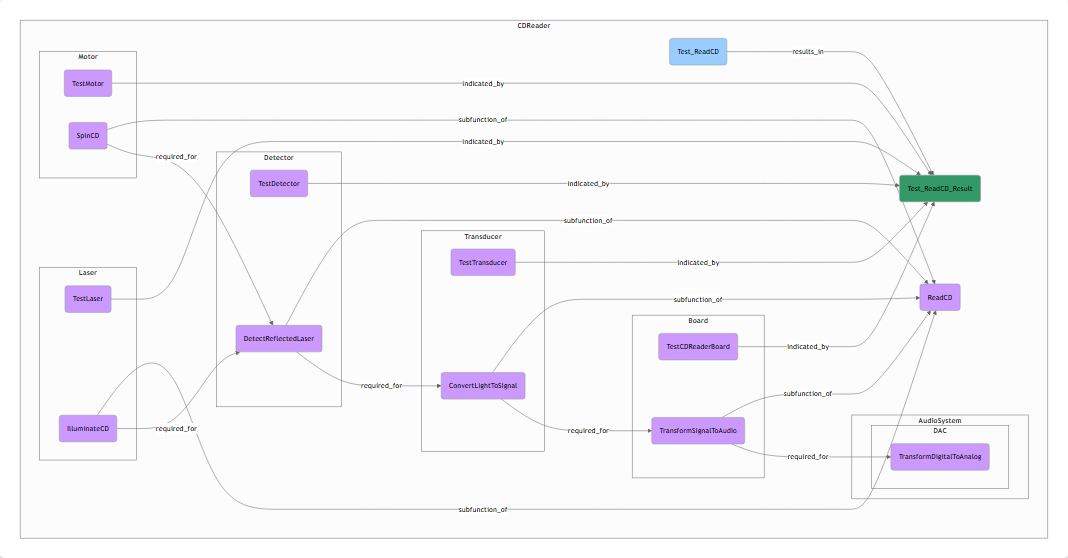
Fig. 5 The CDReader cluster.
Click  on
on PowerSystem to see the required for relations
of the power system as a matrix
(see The required-for matrix).
4. Operating modes
Open PowerSystem.PowerBoard. Its operating mode selector
Select_BatteryPower_WallPower has the modes BatteryPower and
WallPower. SupplyPowerFromBattery is only required for
DistributePower in the BatteryPower mode. So when the player runs on
wall power, a broken battery does not explain a power problem.
The second selector, AudioSystem.DAC.Select_PlayCD_PlayRadio, chooses
between the CD and the radio as audio source.
5. Faults and custom states
Open CDReader.Detector. The hardware Detector has two faults:
Broken (prior 0.015) and Dusty (prior 0.04). Its function
DetectReflectedLaser has three states: Ok, Intermittent and
NOk. Click  to see its CPT. A dusty detector mostly causes
intermittent detection, but a broken one makes detection fail.
See Conditional probability tables.
to see its CPT. A dusty detector mostly causes
intermittent detection, but a broken one makes detection fail.
See Conditional probability tables.
6. Observations and tests
The display (
HMI.Display) reports the observed errorsCD_ERRORandRADIO_ERROR. These come from the Capella model.The root cluster contains cheap system tests:
Test_PlayCDandTest_PlayRadio.Most hardware has an inspection test, for example
CDReader.Laser.Inspect_Laser.
7. Check the model
Click  on the root cluster. The validator reports
No issues were found. See Checking a model.
on the root cluster. The validator reports
No issues were found. See Checking a model.
8. Diagnose a failure
Click  . Follow the
walkthrough in the diagnoser chapter:
the player runs on batteries and shows
. Follow the
walkthrough in the diagnoser chapter:
the player runs on batteries and shows CD_ERROR. After one cheap test,
the Detector is the main suspect.
9. Analyse the design
Close the diagnoser and click  . Select
WallPower and compute. The result has four diagnostic procedures.
DP_2, for faults that cause CD_ERROR, cannot tell a broken
Transducer from a broken Detector. A designer could add a test or an
error code for this. See Design for diagnostics.
Next steps
Read What is being modelled for the meaning of every element and relation.
Build your own model: import it from Capella, refine it in the editor, add CPTs where needed, and check it.